Turning On Post-Quantum Keys
Your keys already exist — they are worked out from the seed phrase you have. Publishing one small event is what lets anyone send to them. This is that, step by step.

Post-quantum keys let people send you messages that stay private even if secp256k1 is broken years from now — including against someone who records those messages today and waits. This guide does it from the extension, in a few clicks.
If you would rather do it from the command line, or you want to inspect the event before it goes anywhere, use Creating a Post-Quantum Key instead. Same keys, same result.
The one thing worth understanding first
Your post-quantum keys are not created when you press a button. They are worked out from the seed phrase you already have, so for a 24-word identity they already exist, right now, whether or not you have ever opened this screen.
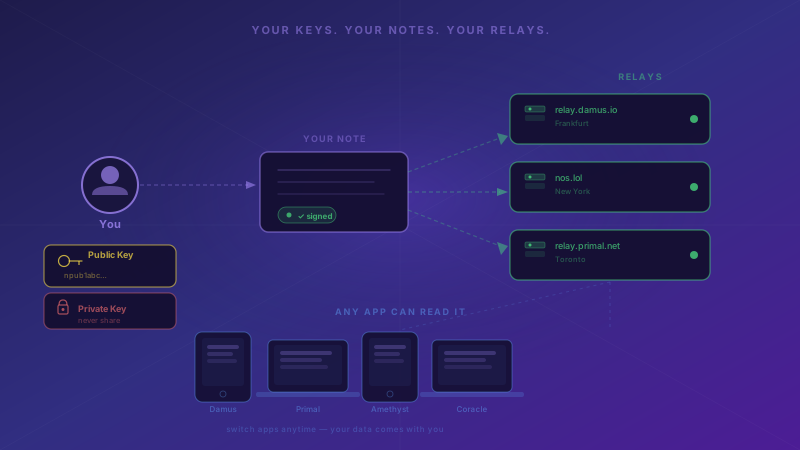
What you are switching on is discoverability. Nobody can send you a post-quantum message until you publish a small event — a kind:10203 attestation — announcing the public half. That event is the only way a sender finds your key. Until it exists, apps fall back to today's encryption.
So: the keys are yours already; publishing is what makes them reachable.
What the dashboard is telling you
Open the extension and look at the post-quantum card. It reports the state it finds rather than always inviting you to act:
- Post-quantum keys are on — your attestation is published and matches your keys. Nothing to do.
- Set up post-quantum keys — your keys exist but nothing is published yet, so nobody can use them.
- Post-quantum keys need republishing — something is published, but it no longer matches this account's keys. Senders would encrypt to the wrong one, so this is worth fixing.
- Add a post-quantum key — this account cannot work keys out from a seed phrase. See If your account cannot derive.
- No card at all — the account cannot use the feature and importing would not help it either. A watch-only (
npub) account cannot sign, and a remote signer has no post-quantum operations.
Turn it on
- Open the extension and select the account you want, if you have more than one.
- Tap the post-quantum card, or go to Menu → Security → Post-quantum key.
- Read the summary — it shows which keys were derived and the attestation that is about to be signed.
- Press Publish.
The extension signs the attestation with your Nostr key and sends it to the relays you have configured, then tells you how many accepted it. If none did, your relay list is the place to look.
It also checks first whether an attestation is already out there — including one you published from another device — so switching to a second browser does not republish anything unnecessarily.
Check it worked
Paste your npub into the capability checker. It should report post-quantum capable with possession proven.
"Possession proven" is doing real work there. The attestation is counter-signed by your ML-DSA key over a message binding your npub to both public keys, so advertising a key you cannot actually decrypt with is detectable. ML-KEM cannot sign, which is why the signature key is what proves possession of the encryption key.
If the checker cannot find you, the event has not propagated yet — publish to more relays.
If your account cannot derive
Three kinds of account cannot work keys out from a seed phrase, and they are not the same case.
A 12-word phrase, or an identity imported as a bare nsec. These can use post-quantum keys, but the keys have to be generated separately and imported. Generate them offline:
git clone https://github.com/nostr-wot/nostr-wot-extension
cd nostr-wot-extension
npm install
npm run pqc:keygen -- --independent --keyfile keys.json
Then in the extension: Menu → Security → Post-quantum key → Add your own key, and either paste the file's contents or choose the file. The extension checks the key file before storing anything — it encrypts and decrypts a test value with the ML-KEM pair, and signs and verifies one with the ML-DSA pair. A file whose halves do not belong together is rejected rather than imported, because such a key would publish cleanly and then silently fail to decrypt anything.
Back up that key file separately. This is the one thing in the extension your seed phrase cannot restore. Lose it and the messages sent to it are unreadable, permanently. The attestation records this as origin: independent, so anyone checking your profile can see the difference.
A 12-word phrase is refused for derivation on purpose, by the way: BIP-39 would happily turn it into working keys, but it only carries 128 bits of real entropy, which would make your seed — not the algorithm — the weakest link.
A remote signer (NIP-46). Not supported. The signing protocol has no post-quantum operations, so the key would have to live outside the signer, which defeats the point of using one.
What this does not protect
Worth stating plainly, because it is easy to over-read.
Someone with a quantum computer could still sign events as you — your notes are signed with secp256k1 either way. They could also publish a replacement attestation carrying their own keys and intercept messages sent after that.
What this protects is the confidentiality of messages sent to you from now on, permanently, including against an adversary who is recording them today to decrypt later. That is the half of the problem that cannot be fixed after the fact, which is why it is the half worth doing first.
Related
- Creating a Post-Quantum Key — the same thing from the command line, with the event to inspect before publishing
- Post-quantum Nostr identities from the seed you already have — why it is built this way
- Check a profile — see whether someone else can receive post-quantum messages
- Managing your identity