Three themes, your choice: Nostr WoT and La Crypta
Choose Light, Dark or La Crypta in the Nostr WoT Extension, or follow your device with System mode. Thank you, La Crypta, for hosting our presentation.
Nostr WoT Team
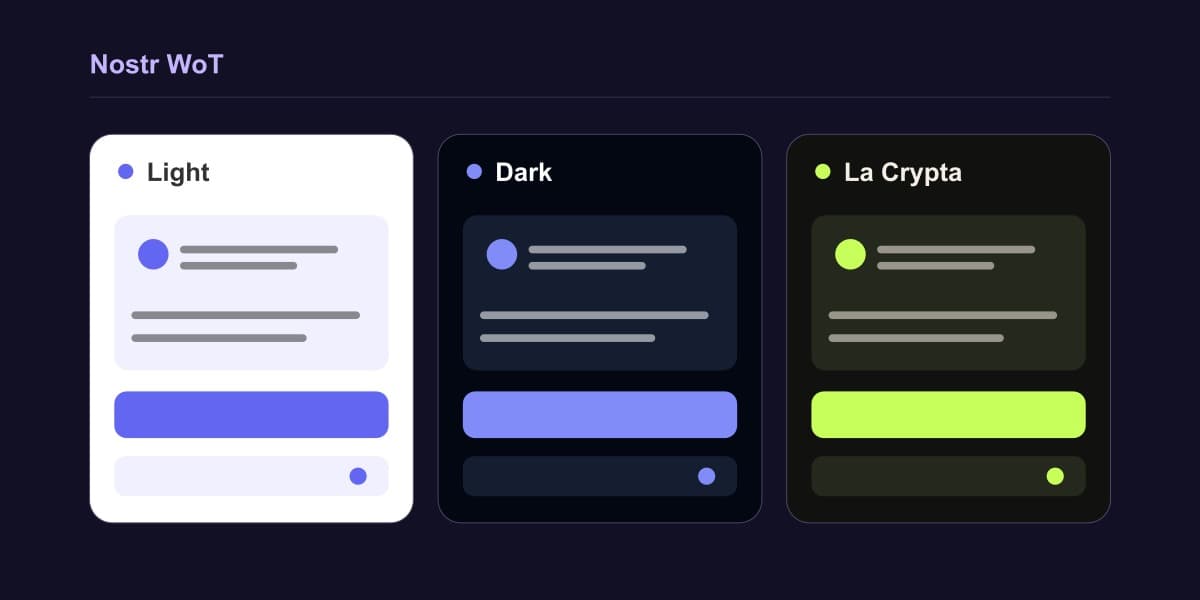
Nostr WoT gives you three themes and an automatic mode. Pick the appearance that works for you in Settings → Appearance and language.
- Light: a bright background with purple accents.
- Dark: near-black surfaces, lighter hover states and purple accents.
- La Crypta: warm dark surfaces, cream text and lime-green accents inspired by Obelisk and La Crypta.
- System: follows your device’s light or dark appearance automatically.
Your choice saves immediately and applies across the extension’s windows. QR codes keep a white background in every theme. Changing appearance leaves your identity and wallet settings in place.
The illustration compares the palettes; it is not a screenshot of the settings screen.
Thank you, La Crypta
Thank you to La Crypta for giving us the space to present Nostr WoT in your weekly community call. We appreciate the opportunity to share the project with your community.
The La Crypta theme brings those colors into the extension. Try it from the appearance settings, or choose Light, Dark or System whenever you prefer.
These options are included in Nostr WoT 0.8.3, available as a GitHub download. Browser-store publication is separate.
Written by
Nostr WoT Team