Nostr for Beginners: Your First Steps
Ready to try Nostr? Start by creating your identity with the Nostr WoT Extension, then pick a client to explore the network and find people to follow.
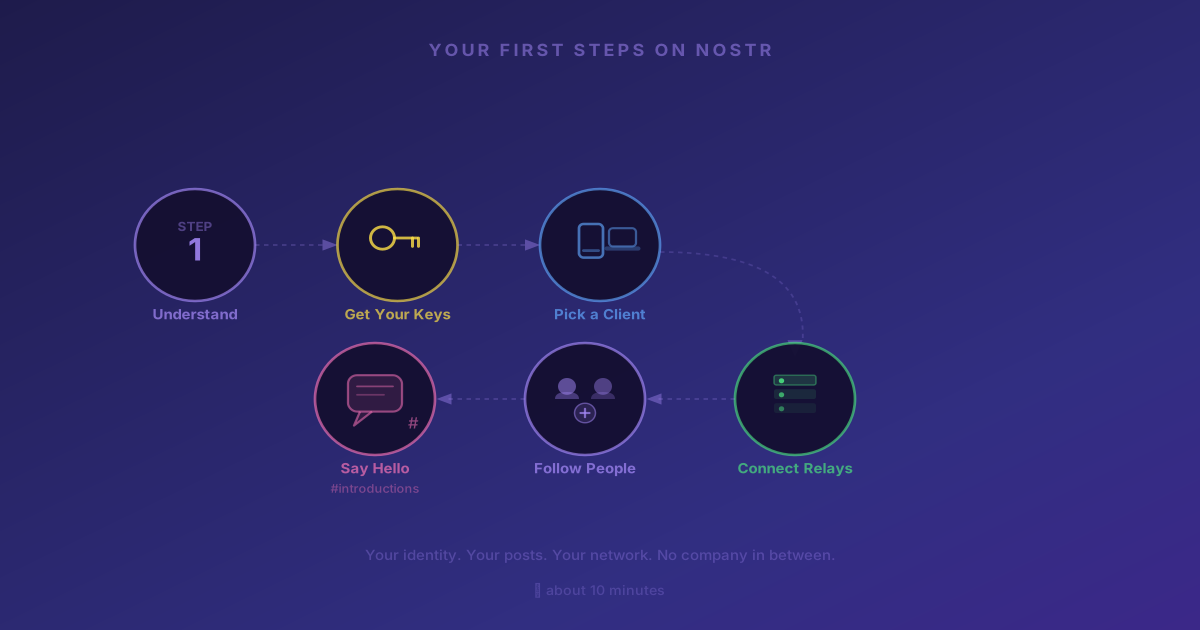
This guide will get you up and running on Nostr in about ten minutes. No technical background required. By the end, you'll have your own identity, a client to explore the network, and people to follow.
Step 1: Understand What You're Creating
On Nostr, your identity is a key pair — a public key and a private key. Think of it this way:
- Public key (npub): Your address. Share it freely. People use it to find and follow you.
- Private key (nsec): Your master password. It proves you own your identity. Never share it with anyone.
There is no email registration. No phone number. No company holding your account. You generate these keys, and they are yours permanently.
Step 2: Create Your Identity with the Nostr WoT Extension
The best way to start on Nostr is by creating your identity with the Nostr WoT Extension. It acts as your key manager and signer — it keeps your private key safe in the browser and lets any Nostr client use it without ever exposing it.
Think of the extension as your Nostr wallet. Clients are just windows into the network — your identity lives in the extension, not in any single app.
- Install the extension from the Chrome Web Store or Firefox Add-ons.
- Click the extension icon and follow the setup wizard.
- Choose Create New Keys — the extension generates a 12-word seed phrase for you.
- Write down your 12 words and store them somewhere safe. This is your master backup.
- Set a local password to encrypt your keys in the browser.
- Fill in your profile: display name, bio, and avatar.
Your 12-word seed phrase is the only way to recover your account. If you lose it, there is no "forgot password" option. Store it offline — a piece of paper in a safe place or a password manager works fine.
For a detailed walkthrough of the extension setup, see the Getting Started guide.
Step 3: Pick a Client to Explore the Network
With your identity created in the extension, you're ready to explore Nostr. A "client" is an app that lets you read posts, follow people, and publish content. Your identity works across all of them — switching clients never means losing your account.
Here are solid options:
On desktop (web browser):
- Coracle — Lightweight, focused on simplicity. Great starting point.
- Primal — Polished interface, works in any browser.
On mobile:
- Damus — iOS only. One of the most popular Nostr apps.
- Amethyst — Android only. Full-featured.
- Primal — Available for iOS and Android.
When you open any of these clients, they will ask for your Nostr identity. Choose "Login with extension" (NIP-07) — the client will connect to the Nostr WoT Extension automatically.
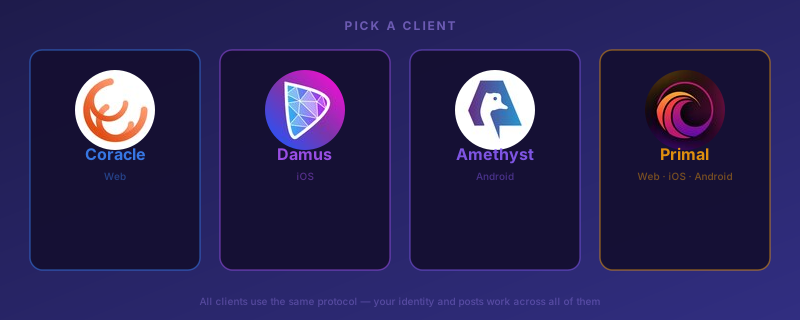 Primal, Coracle, Damus, and Amethyst — four solid Nostr clients to start with across web, iOS, and Android
Step 4: Connect to Relays
Relays are the servers that store and deliver your posts. Most clients come pre-configured with a default set, so you probably don't need to change anything right away.
If you want to check or adjust your relays:
- Open your client's settings.
- Look for a "Relays" section.
- Make sure you're connected to at least 3–5 relays for good coverage.
Popular relays include wss://relay.damus.io, wss://relay.primal.net, and wss://nos.lol.
You don't need to understand relays in depth to get started. Just make sure your client is connected to a few. You can fine-tune this later as you learn more.
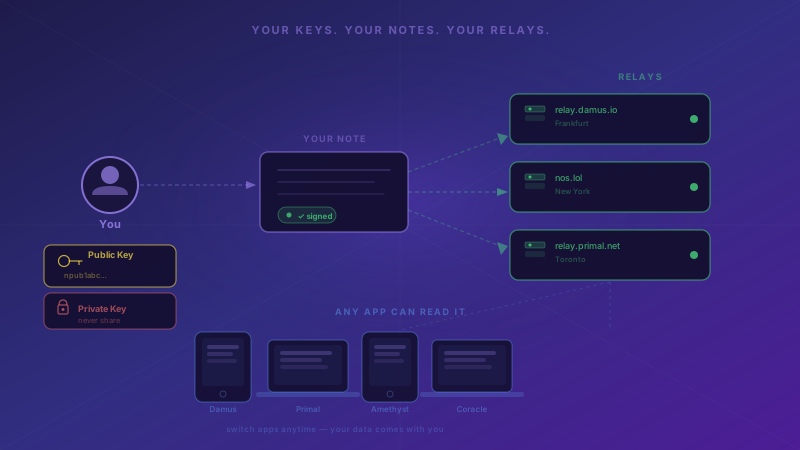
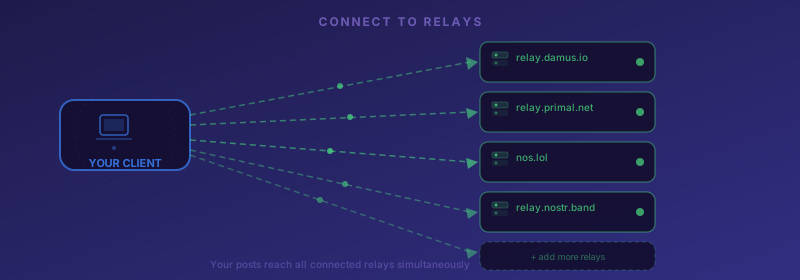 Your client connects to multiple independent relay servers — your posts are stored across all of them simultaneously
Step 5: Follow People
Nostr is better with a feed. Here's how to find people:
- Search by name in your client's search bar.
- Paste an npub (public key) directly to find a specific person.
- Browse trending posts — most clients have a discover or trending section.
- Check who others follow — find one person you know and look at their follow list.
Step 6: Post Something
You're set up. Say hello. The Nostr community actively welcomes newcomers.
Your post goes out to your connected relays. Anyone following you — or browsing those relays — can see it. No algorithm decides who sees your content.
What's Next
You now have a working Nostr identity and a feed to browse. A few things worth exploring next:
- Web of Trust: As you follow people and they follow you back, you're building a trust network. The extension helps you visualize and manage it — useful once you have some connections. Learn more in Understanding WoT.
- Zaps: Nostr supports instant Bitcoin micropayments called "zaps." You can tip posts you like. This requires a Lightning wallet — see the Setting Up a Wallet guide.
- Multiple clients: Try different apps. Your identity works across all of them. Find the one that fits how you use social media.
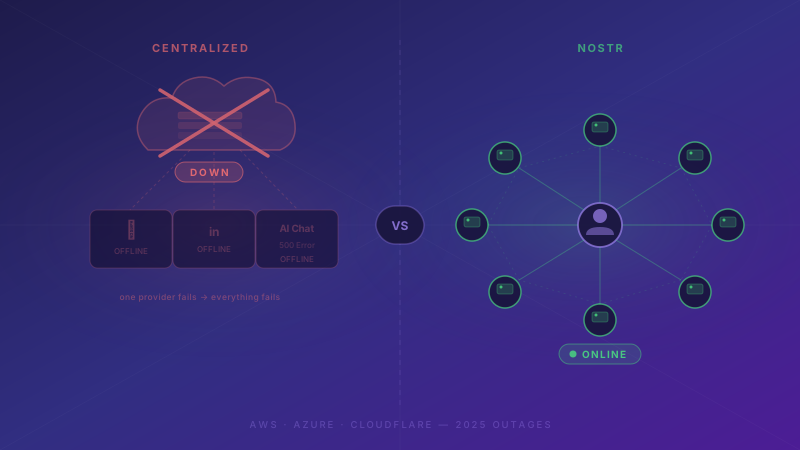
The most important thing: Nostr is a protocol, not a platform. There's no algorithm to game, no company to please, and no single point of failure. Your presence here is yours to build — and yours to keep.